
Documentation/Contacts
Contacts & profiles
Everyone you can message, and the profile Engage keeps for each of them.
Engage keeps a single profile for every person in your audience. Open Contacts → All Contacts to see them all.
Profile counts
The cards at the top summarise the health of your audience:
| Metric | Meaning |
|---|---|
| Total profiles | Everyone in your account |
| Active profiles | Subscribed and mailable |
| Suppressed profiles | Excluded from sending — see Suppression list |
Finding someone
The profiles table lists Profile, Email, Subscribed, Phone, and Profile created. Use the search box to find a person by name, email, or exact phone number, and adjust Rows per page to page through larger audiences.
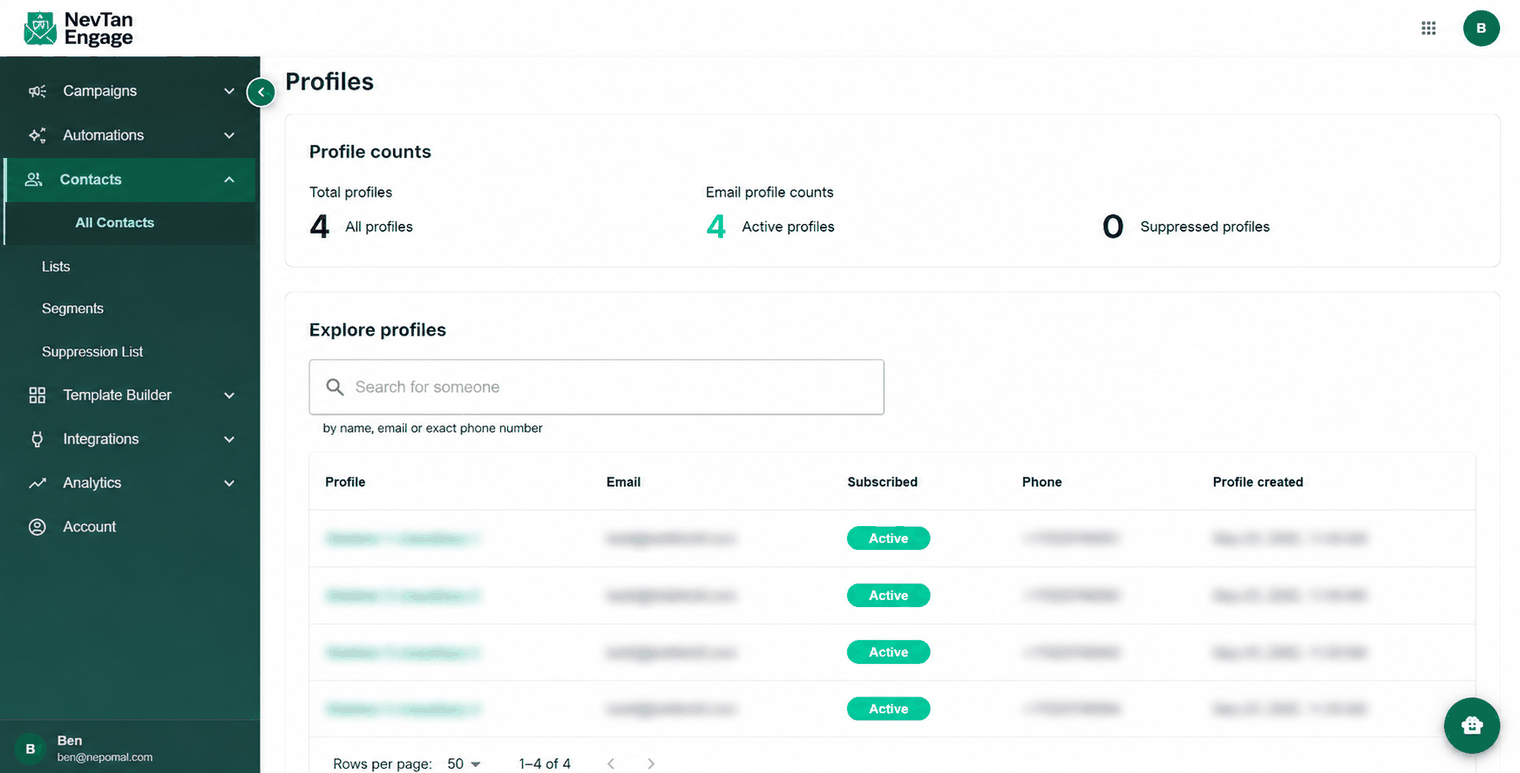
All Contacts
A contact's profile
Click any row to open that person. On the Details tab, click the pencil icon to edit their information:
- First name and last name
- Title
- Organization
- Phone number
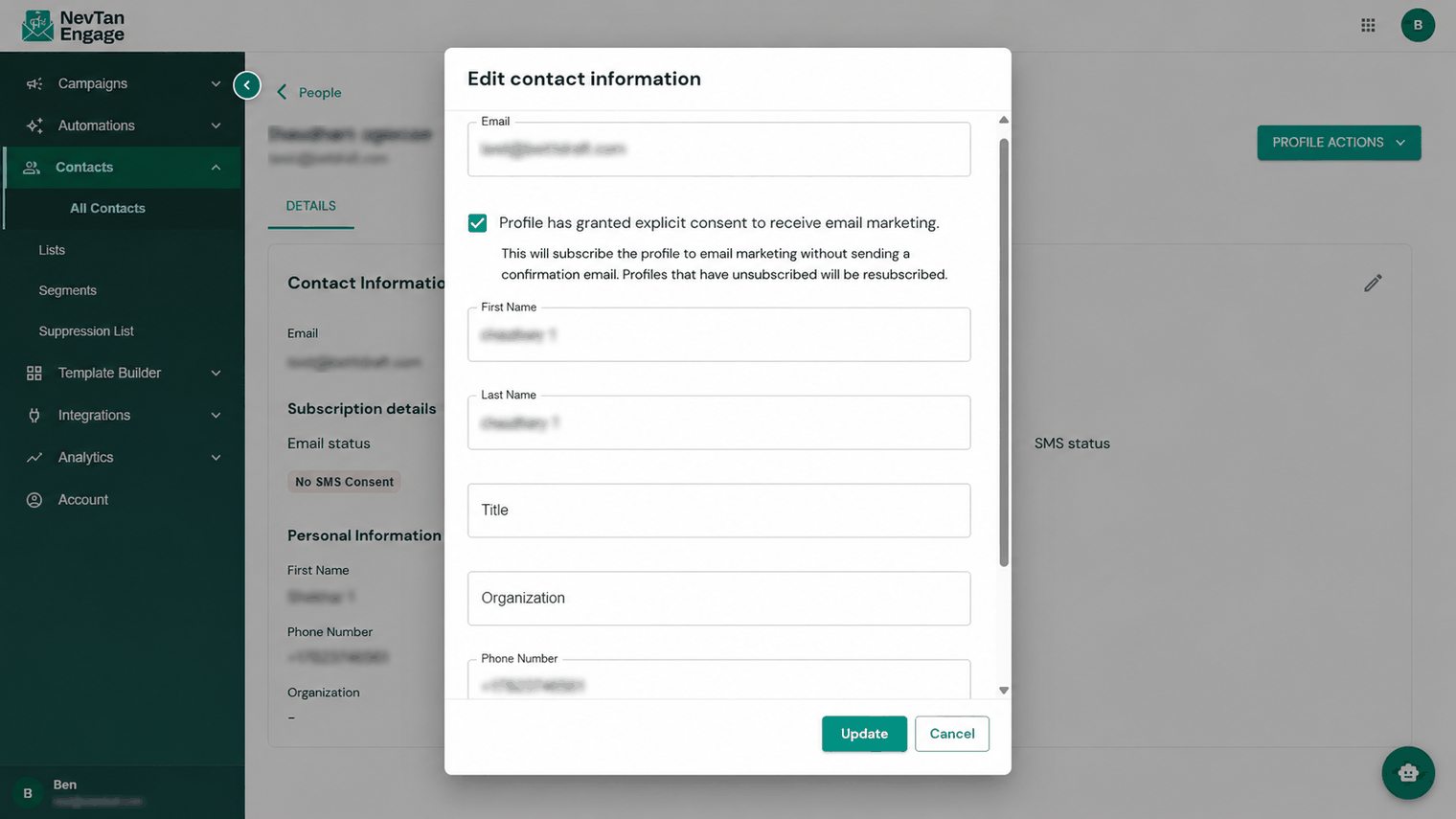
Editing a contact
Save your changes, or cancel to discard them.
Contacts arrive in your account by being imported into a list, or through the API and webhooks — you don't add them one by one from this screen. See Importing contacts.