
NevTan Engage

Features

Email MarketingSMS MarketingAutomations

Solutions

eCommerceSaaS & AppsB2B Lead GenAgencies

Resources

BlogHelp CenterDocumentationEmail TemplatesAPIFAQs

Company

AboutPricingContact

Legal

Data Processing AgreementSubprocessor ListAI & Data Usage PolicySecurity & Compliance

© 2026 NevTan Engage. All rights reserved.

Cookie Policy | Terms and Conditions | Privacy Policy

Skip to main content

Channels & Automation

Email Marketing

Beautiful campaigns that convert

SMS Marketing

Reach customers instantly

Automations

Visual drag-and-drop workflows

By Industry

eCommerce

Boost sales & reduce cart abandonment

SaaS & Apps

Onboard & retain users at scale

B2B Lead Gen

Nurture leads to conversion

Agencies

White-label for your clients

Plans & Pricing

Pricing Plans

Simple, transparent pricing

Learn & Build

Blog

Marketing tips and best practices

Email Marketing Templates

Ready-to-use campaign layouts

Documentation

Guides for every feature in Engage

API

Build custom integrations

About Us

Contact Us

LoginStart Free Trial(No card)

Getting started

  • Introduction
  • Create your account
  • Signing in
  • Your dashboard & navigation

Contacts

  • Contacts & profiles
  • Lists
  • Importing contacts
  • Segments
  • Suppression list

Campaigns

  • Campaigns overview
  • Create & send a campaign
  • Reading a campaign's results

Templates

  • Template library
  • Create with AI
  • The template editor
  • Template approval

Automations

  • Built-in flows
  • Custom flows

Analytics

  • Contact Growth
  • Campaign Reports
  • Automation Reports
  • Metrics glossary

Integrations

  • Webhooks

Account & billing

  • Your profile
  • Custom sending domains
  • Plans & pricing
  • Billing, usage & invoices
  • Team & roles

Administration

  • Admin overview
  • Campaign & template review
  • Customers & packages

Documentation/Contacts

Lists

Static groups of contacts you build and add people to.

A list is a static group — a newsletter list, a customer list, an event list. You decide who's in it. (For groups that update themselves based on rules, use segments instead.)

Create a list

1

Open Contacts → Lists

The Lists page shows every list in your account. (Segments have their own page — see Segments.)

2

Click Create List

The create dialog opens.

3

Name it and save

Enter a list name and confirm. It appears in the table straight away.
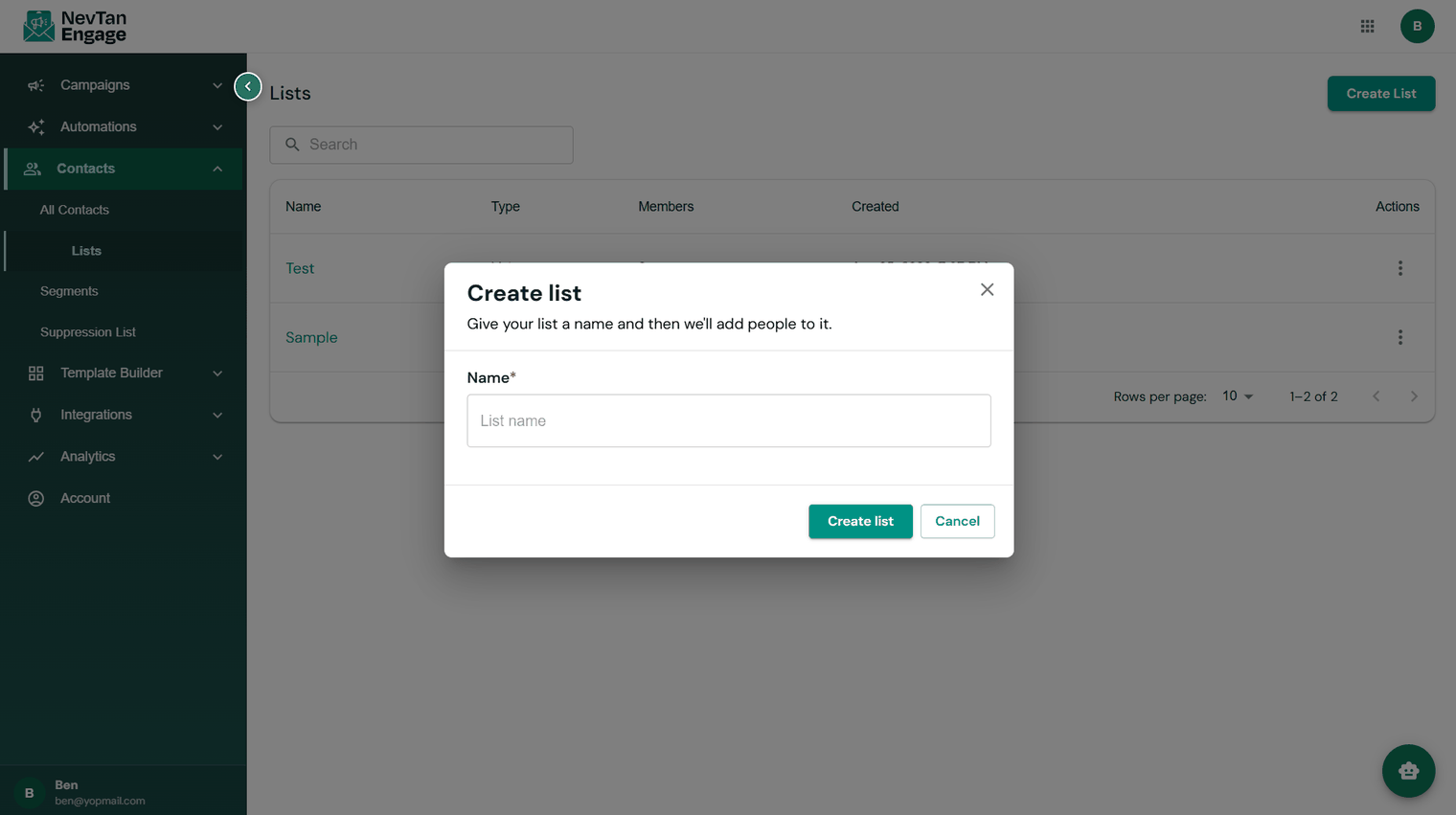
The Create List dialog

Creating a list

The lists table shows each list's Name, Type, Members, Created date, and Actions.
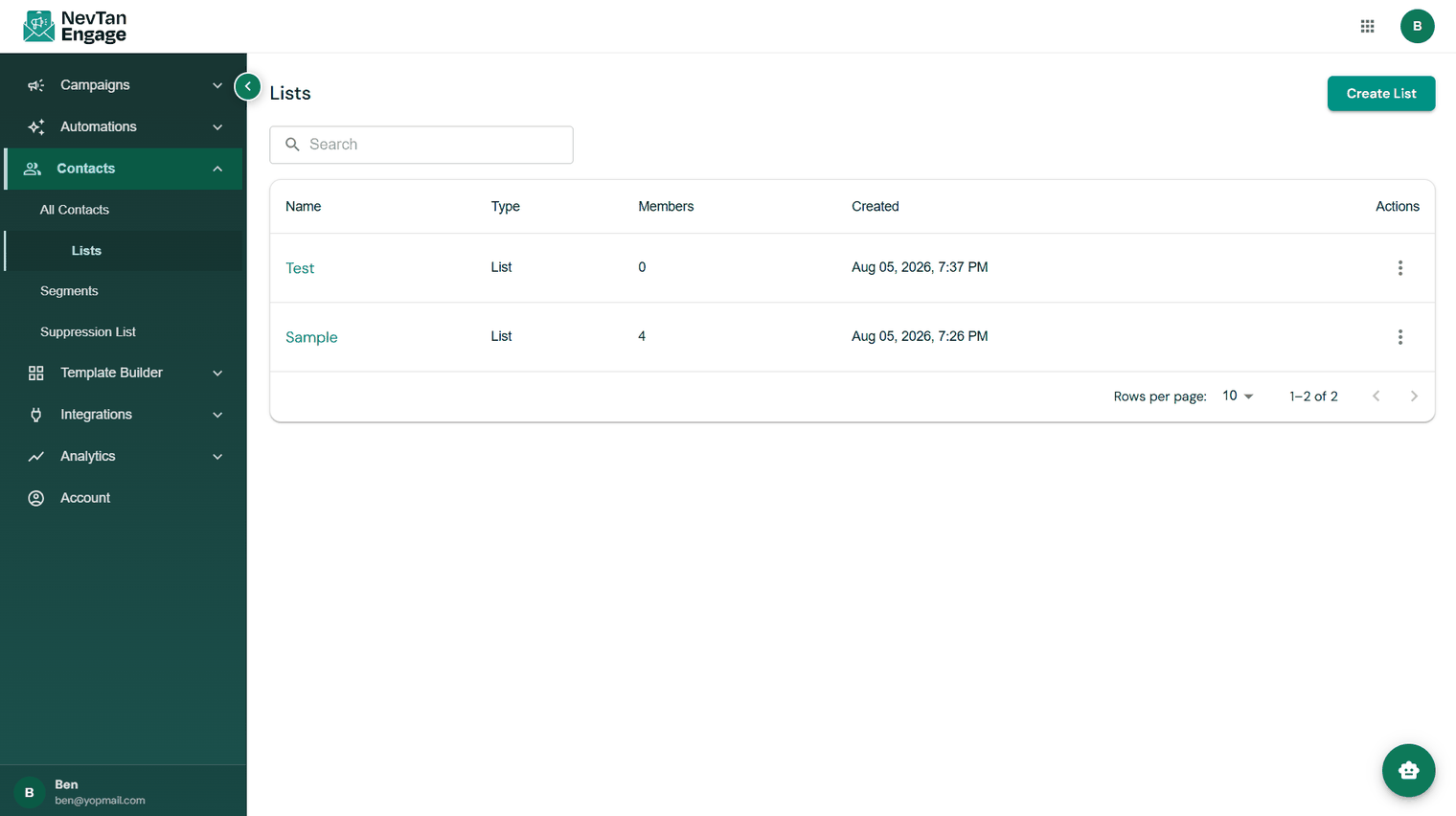
The Lists page

Your lists

Inside a list

Click a list to open it. It has three tabs:

TabWhat's there
MembersThe contacts in this list, with a live count. Add or remove members.
ImportsThe history of every CSV upload into this list, with status and error downloads.
WebHookEvents imported into this list from your webhooks — see Webhooks.
A list opened to the Members tab

Inside a list

Using a list

Lists are what you send to. Pick one as the audience of a campaign, or use Added to list as the trigger that starts an automated flow.

💡

Keep lists meaningful rather than numerous. One well-maintained newsletter list plus a few segments usually beats a dozen overlapping lists you can't remember the purpose of.

Previous

Contacts & profiles

Next

Importing contacts

Still need a hand?

Our support team usually replies within one business day.

Contact support

On this page

  • Create a list
  • Inside a list
  • Using a list