
Documentation/Account & billing
Plans & pricing
What each tier includes, and how to upgrade.
Engage sells four paid tiers. Each includes everything in the tier below it, plus its own features. You can see them all under Account → Upgrade Plan, and switch between Monthly and Yearly billing there.
| Plan | Best for |
|---|---|
| Starter | Small businesses getting going |
| Standard *(most popular)* | Expanding businesses |
| Professional | Growing your audience |
| Enterprise | Large senders |
Prices and monthly email allowances are shown live on the Upgrade Plan page and on the public pricing page. We don't repeat the numbers here so the docs can't fall out of date — check those pages for current pricing.
What unlocks at each tier
| Feature | Free | Starter | Standard | Professional |
|---|---|---|---|---|
| Email campaigns | ✅ | ✅ | ✅ | ✅ |
| Contacts & profiles | ✅ | ✅ | ✅ | ✅ |
| Lists | ✅ | ✅ | ✅ | ✅ |
| Email templates | ✅ | ✅ | ✅ | ✅ |
| Suppression list | — | ✅ | ✅ | ✅ |
| Built-in flows | — | ✅ | ✅ | ✅ |
| Webhooks | — | ✅ | ✅ | ✅ |
| Campaign Reports | — | ✅ | ✅ | ✅ |
| Automation Reports | — | ✅ | ✅ | ✅ |
| Contact Growth | — | ✅ | ✅ | ✅ |
| Audience segmentation | — | — | ✅ | ✅ |
| Custom sending domains | — | — | ✅ | ✅ |
| Custom automation flows | — | — | — | ✅ |
Enterprise includes everything in Professional, plus the tracking code.
This table reflects the default feature set for each tier. Your account's actual entitlements are whatever your package was configured with, so an administrator can grant a feature above or below its default tier. If a screen you expect is gated, the upgrade panel on it names the tier that unlocks it for you.
How feature gating looks
Open a feature that isn't in your plan and Engage still shows you the screen, blurred, behind a panel that explains exactly what you'd be getting. The panel shows:
- A lock icon and the feature's name — e.g. *Campaign Analytics*
- A row of plan pills (Free · Starter · Standard · Professional · Enterprise), with a tick under every tier that includes the feature and the minimum tier highlighted
- A line reading "Included in Professional ($79.99/mo) and above"
- A short list of what the feature actually gives you
- An Upgrade to … button, and a Compare all plans → link
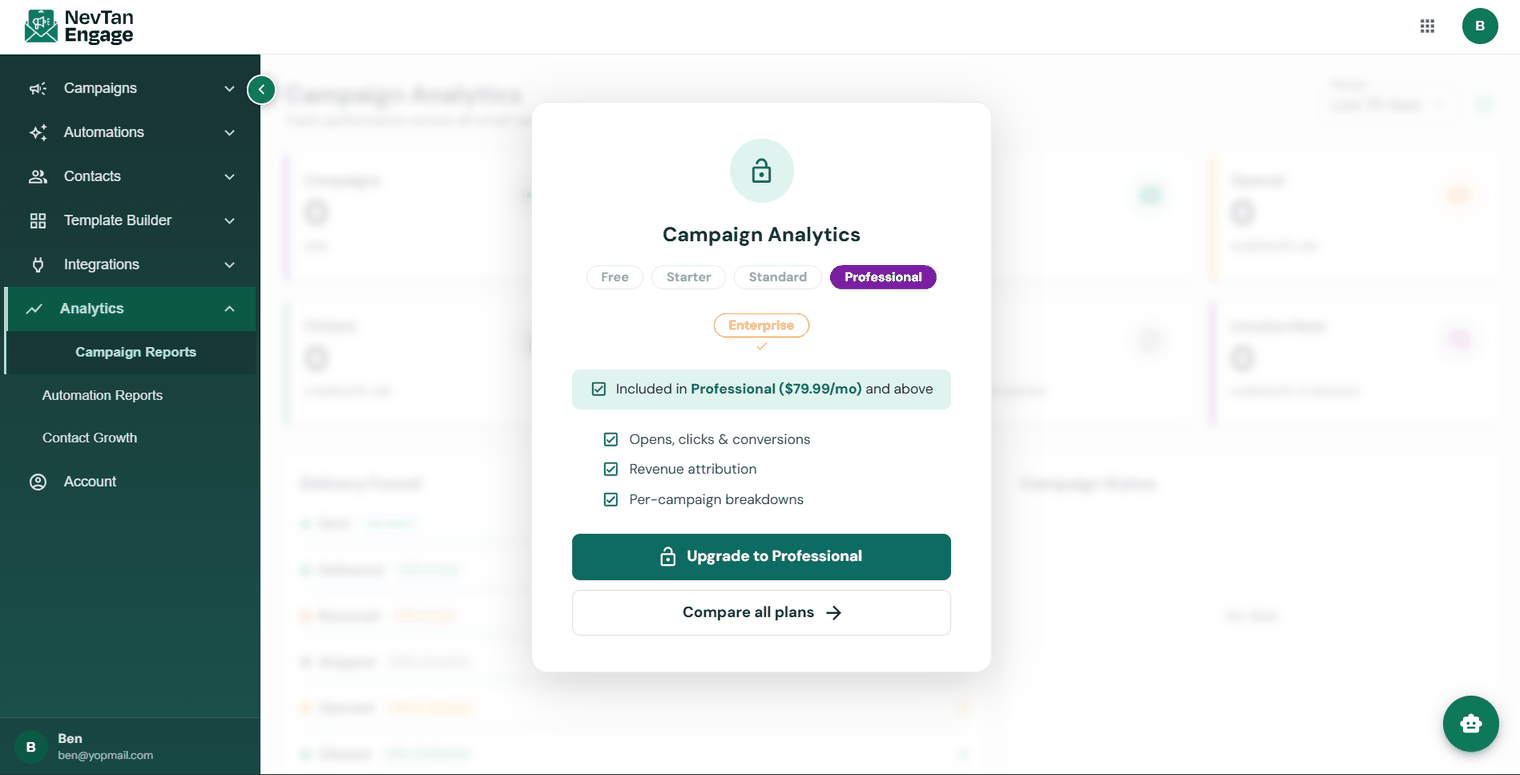
What you see when a feature isn't in your plan
So you can always tell at a glance which plan you need and what it costs, without leaving the page you're on.
Upgrade
Go to Account → Upgrade Plan
Or click Upgrade from any gated feature.
Choose your plan and cycle
Monthly or yearly.
Check out
Payments are processed securely by Stripe.
Done
Your new features unlock immediately.
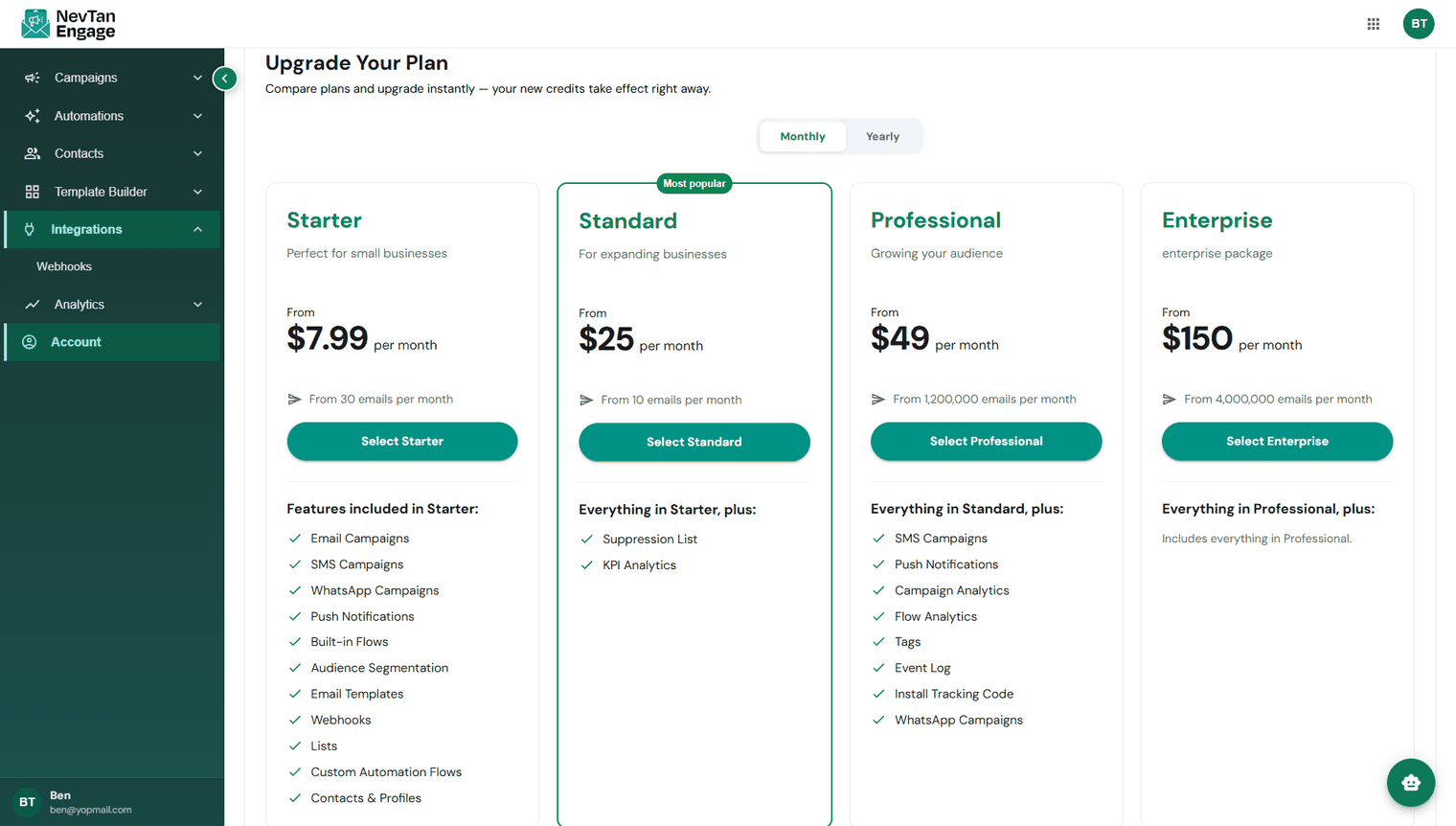
Comparing and choosing a plan
You can cancel from the Subscription tab. Your plan stays active until the end of the paid period, and you can reactivate before it lapses.